


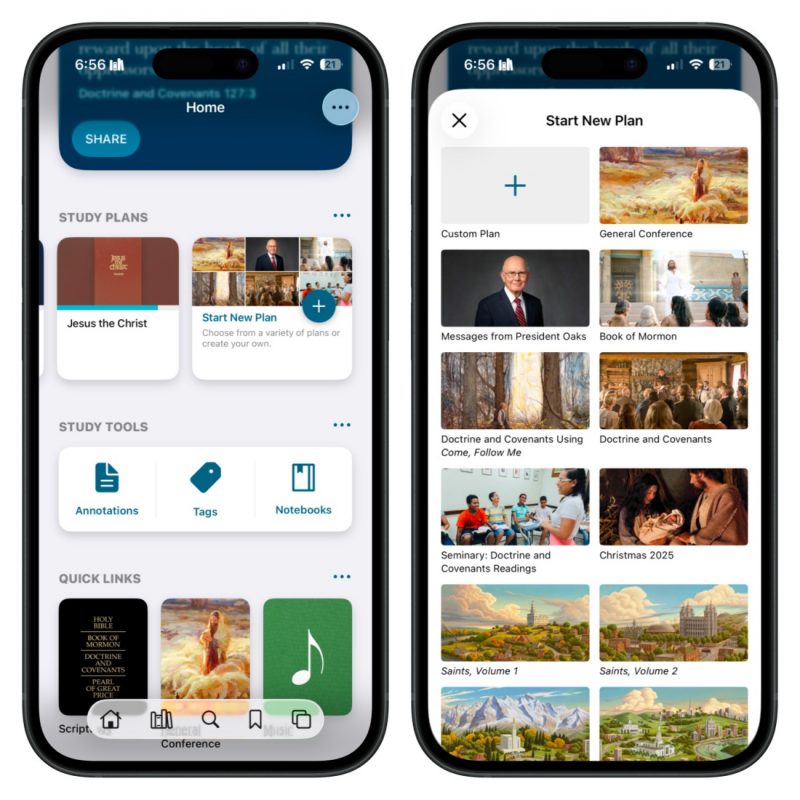
Study Plans let you set a schedule for studying any content in the Gospel Library app. You can choose from premade plans focused on general conference talks, books of scripture, or gospel topics, such as the Restoration, or create your own custom study plans.
How To Create a Study Plan
Create and access these plans from the app’s Home section by clicking Start New Plan, as shown in the left image above. When creating a custom plan, you can select the content you want to study and determine a time frame that suits your lifestyle and schedule. The right image above shows the study options available.
The post How To Create Study Plans in the Gospel Library App first appeared on LDS365: Resources from the Church & Latter-day Saints worldwide.
Continue reading at the original source →